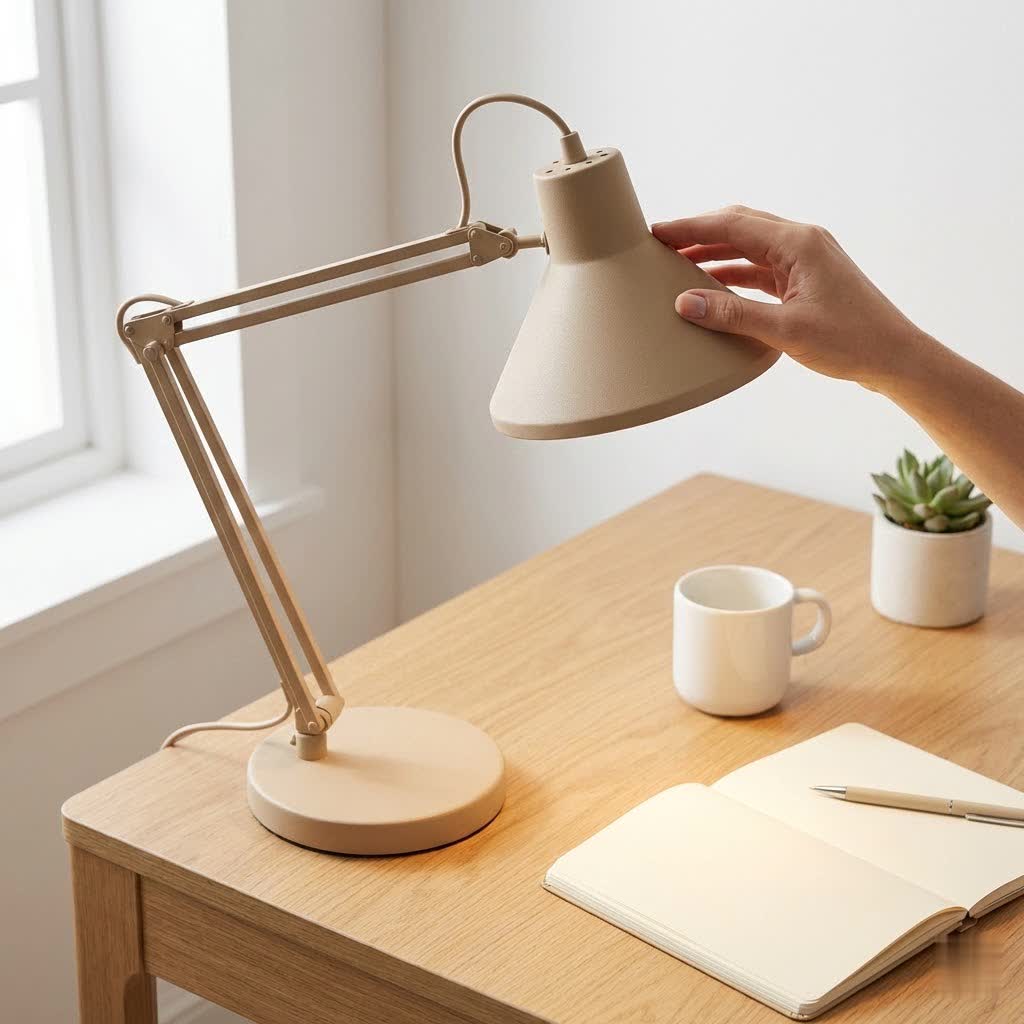
In the modern workspace, where screens dominate our professional and personal lives, a well-chosen computer desk lamp is no longer a luxury—it’s an absolute necessity. Whether you’re a student burning the midnight oil, a remote professional tackling complex projects, or a gamer immersed in virtual worlds, the right illumination can dramatically impact your comfort, productivity, and long-term eye health. Poor lighting can lead to nagging eye strain, headaches, and even reduced focus, turning your productive hours into a struggle. This comprehensive guide will illuminate the path to finding the perfect computer desk lamp, transforming your desk into a haven of clear, comfortable, and efficient work.
Why a Computer Desk Lamp is Essential for Your Workspace
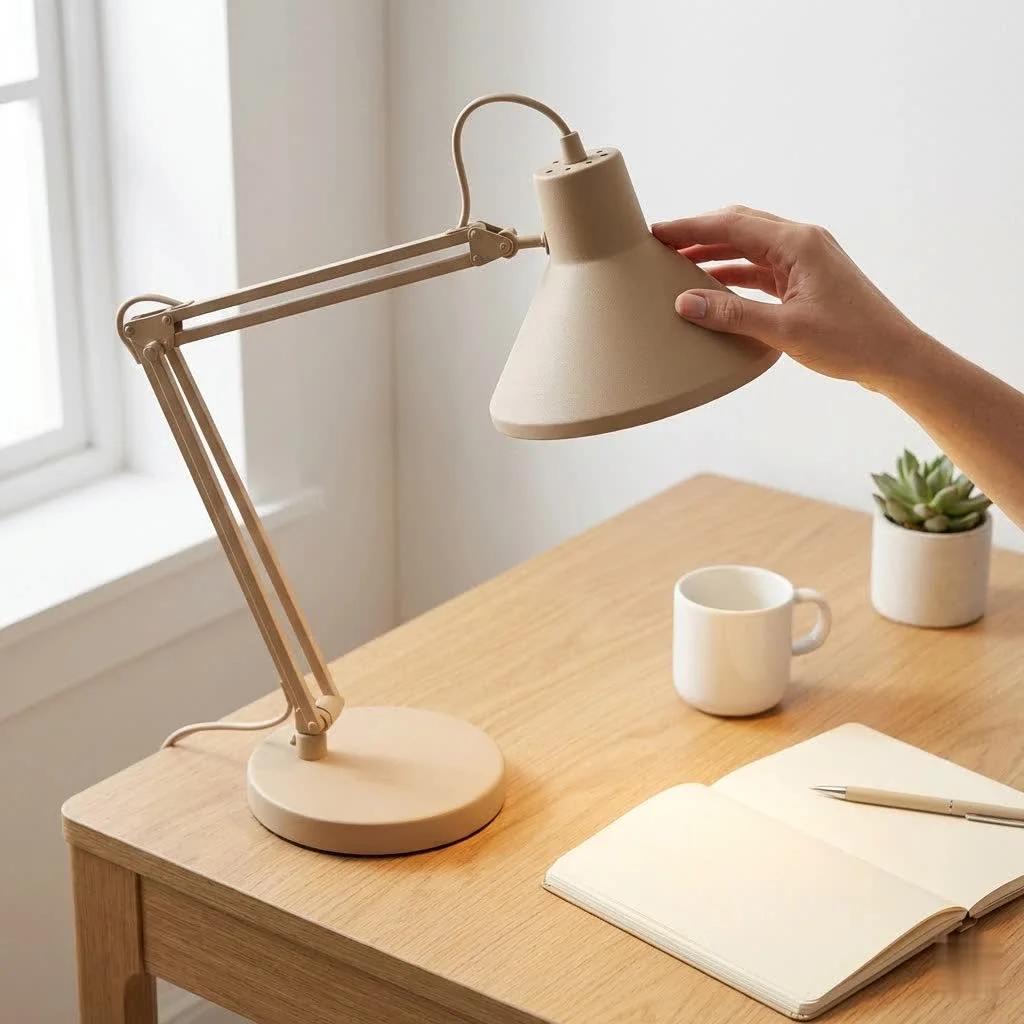
The human eye is an incredible organ, but prolonged exposure to computer screens in poorly lit environments can put immense stress on it. Without adequate task lighting, your eyes constantly struggle to adjust between the bright screen and a dim surrounding area, leading to fatigue, dryness, and even blurred vision. A dedicated computer desk lamp mitigates these issues by providing a controlled and consistent light source directly on your workspace, reducing the harsh contrast between your screen and your desk. For more desk lamps guides on this site.
Proper lighting improves visual clarity, making it easier to read documents, see keyboard details, and generally reduce the effort your eyes exert. This directly translates to improved productivity, fewer errors, and the ability to work comfortably for longer periods. Beyond functionality, a well-placed desk lamp can also enhance the aesthetics of your workspace, creating an inviting and inspiring atmosphere. It’s an investment in your well-being and efficiency.
Understanding Different Types of Computer Desk Lamps
The market offers a diverse range of desk lamps, each with unique advantages tailored to various needs. For computer users, certain types stand out:
- Traditional/Articulated Arm Desk Lamps (Architect Lamps): These classic lamps feature a spring-balanced or hinged arm that allows for extensive reach and precise positioning. They are versatile, often clamping to the desk edge, freeing up valuable surface area. Their flexibility makes them ideal for illuminating documents or a specific part of your desk.
- Monitor Light Bars (ScreenBars): Gaining immense popularity, these innovative lamps clip onto the top of your monitor. Their primary advantage is projecting light downward onto your desk without casting any glare on your screen. They are incredibly space-saving and designed specifically to complement screen-based work by minimizing screen reflection and providing ambient front light.
- Clip-On and Clamp Lamps: Similar to architect lamps in space-saving design, these are generally smaller and more portable. They can attach to shelves, the edge of a monitor, or other surfaces, offering flexible lighting solutions for compact setups or temporary workspaces.
- Portable Desk Lamps: Battery-operated and often compact, these lamps prioritize mobility. They are excellent for those who frequently change their workspace or need a light source for on-the-go tasks, though they might offer less powerful illumination than their corded counterparts.
Each type offers distinct benefits; the “best” choice often depends on your specific desk setup, the amount of space available, and the primary tasks you perform.
Key Factors to Consider When Choosing a Computer Desk Lamp
Selecting the ideal computer desk lamp involves more than just picking one that looks good. Several technical and design factors contribute to its effectiveness and your comfort.
Bulb Type
|
Our Picks for the Best Desk Lamp in 2026
As an Amazon Associate I earn from qualifying purchases.
|
||
| Num | Product | Action |
|---|---|---|
| 1 | LED Desk Lamp for Office Home, Eye-Caring Desk Light with Stepless Dimming Adjustable Flexible Gooseneck, 10W USB Adapter Desk Lamp with Clamp for Reading, Study, Workbench (White) |

|
| 2 | LED Desk Lamp with Clamp, Eye-Caring Clip on Lights for Home Office, 3 Modes 10 Brightness, Long Flexible Goose-Neck, Metal, Swing Arm Architect Task Table Lamps with USB Adapter, Black |
|
| 3 | LED Desk Lamp for Office Home, Eye-Caring Desk Light with Stepless Dimming Adjustable Flexible Gooseneck, 10W USB Adapter Desk Lamp with Clamp for Reading, Study, Workbench (Pink) |
|
| 4 | LED Desk Lamp with Clamp, Eye-Caring Clip on Lights for Home Office, 3 Modes 10 Brightness, Long Flexible Goose-Neck, Metal, Swing Arm Architect Task Table Lamps with USB Adapter, White |
|
| 5 | LED Desk Lamp with Clamp, Architect Desk Lamp for Home Office with Remote, 24W Ultra-Bright Desk Light with Stepless Dimming and Stepless Color Temp, Memory Function for Study and Workbench |
|
| 6 | LED Desk Lamp for Office Home, Eye-Caring Desk Light with Stepless Dimming Adjustable Flexible Gooseneck, 10W USB Adapter Desk Lamp with Clamp for Reading, Study, Workbench (Black) |
|
| 7 | Desktop Lamp 10X Magnification Magnifying Glass with Light and Stand with 360 Degree Adjustable Detachable Desktop Magnifier Suitable for Reading, Repairs, Crafts, and Close Work and More |
|
| 8 | LED Desk Lamp for Office Home, Eye-Caring Desk Light with Stepless Dimming Adjustable Flexible Gooseneck, 10W USB Adapter Desk Lamp with Clamp for Reading, Study, Workbench (Grey) |
|
| 9 | Micomlan Led Desk Lamp with Clamp, Architect Desk Lamp for Home Office with Atmosphere Lighting, 24W Ultra Bright Auto Dimming Computer Light Stepless Dimming and Tempering LED Table Light |
|
| 10 | LED Desk Lamp for Office Home, Power Strip with 3 Outlets 4 USB Charging Ports(2 USBC), 4 Modes 5 Level Brightness Desk Light, Small Desk Lamp for College Dorm Room Essentials |
|
The type of bulb significantly impacts energy efficiency, longevity, and light quality.
- LED (Light Emitting Diode): LEDs are the overwhelming favorite for computer desk lamps due to their exceptional energy efficiency, long lifespan (often tens of thousands of hours), and cool operation. Many LED lamps offer advanced features like adjustable brightness and color temperature.
- Halogen: While providing a bright, crisp white light, halogen bulbs consume more energy and produce more heat than LEDs. They are less common in modern computer desk lamps.
- Fluorescent: Compact fluorescent lamps (CFLs) were once popular for efficiency but have largely been replaced by LEDs. They can sometimes produce flicker and contain mercury, making them less ideal for close-up computer work.
- Incandescent: These traditional bulbs are highly inefficient, generate significant heat, and have a short lifespan. They are generally not recommended for modern desk lighting.
For optimal performance and energy savings, LED is the clear choice.
Wattage and Brightness (Illuminance)
Brightness, measured in lumens, is crucial. You need enough light to see clearly without causing discomfort or glare. For general reading and computer work, a brightness of around 400-450 lumens is often recommended. Many modern computer desk lamps offer multiple brightness levels, allowing you to fine-tune the intensity to match specific tasks or ambient light conditions. This adjustability prevents the light from being too dim (causing strain) or too bright (causing glare).
Color Temperature (CCT)
Color temperature, measured in Kelvin (K), dictates the “warmness” or “coolness” of the light.
- Warm Light (2700K-3000K): Emits a yellowish-white glow, often associated with incandescent bulbs. It’s relaxing and ideal for unwinding or creating a cozy atmosphere, but less conducive to focused work.
- Cool/Neutral White Light (4000K-5000K): This bluish-white light mimics natural daylight and is excellent for concentration, detail-oriented tasks, and boosting productivity. Many experts recommend cooler white light for computer work to maintain alertness.
The best computer desk lamps offer adjustable color temperature, enabling you to switch between warm and cool tones based on the time of day or your task, promoting better sleep patterns by reducing blue light exposure in the evenings.
Design and Style
Beyond functionality, your lamp’s design contributes to your workspace’s overall aesthetic. Consider a style that complements your desk and room decor—whether it’s sleek and minimalist, industrial, or classic. Materials like aluminum, steel, or high-quality plastics offer durability, while a stable base or secure clamp ensures the lamp remains safely in place. For smaller desks, compact designs or monitor light bars are excellent for preserving precious desktop real estate.
Adjustability and Flexibility
An adjustable lamp is key to directing light precisely where it’s needed and minimizing glare. Look for features such as:
- Swiveling Heads: Allow you to rotate the light beam horizontally.
- Gooseneck Arms: Highly flexible, letting you bend and twist the light source to almost any angle.
- Swing Arms (Articulated Arms): Provide significant reach and height adjustment, ensuring wide coverage across your desk.
These mechanisms enable you to fine-tune the lamp’s position to avoid shadows and reflections on your screen or documents, adapting to various tasks and seating positions.
Additional Features
Modern computer desk lamps come loaded with features that enhance user experience and ergonomics:
- Dimmability: Crucial for adjusting light intensity for different tasks and reducing eye strain. Most quality LED lamps offer multiple dimming levels.
- CRI (Color Rendering Index): A high CRI (ideally 85-100) indicates that the light source accurately renders colors, which is vital for graphic designers, artists, or anyone who needs true-to-life color representation in their work.
- Flicker-Free and Blue Light Reduction: These features are paramount for eye comfort during long computer sessions. Flicker-free lighting prevents imperceptible rapid changes in brightness that cause eye fatigue, while reduced blue light emission protects against potential harm and improves sleep quality.
- USB Charging Ports: A highly convenient feature, allowing you to charge your smartphone, tablet, or other gadgets directly from your lamp, reducing cable clutter on your desk.
- Smart Controls: Touch-sensitive buttons, remote controls, or smartphone app integration offer effortless adjustment of brightness, color temperature, and even scheduling.
- Timers and Wireless Charging: Some advanced models include timers for scheduled shut-off or built-in wireless charging pads for compatible devices.
- Cordless Options: Battery-powered models offer unparalleled flexibility for placement and portability, ideal for decluttering or dynamic workspaces.
“Investing in a desk lamp with adjustable brightness, color temperature, and flicker-free technology can significantly reduce eye strain and improve overall well-being for anyone spending hours in front of a computer.” – Dr. Elena Petrova, Optometrist and Ergonomics Specialist
Comparison Table: Top Computer Desk Lamp Models
| Model | Pros | Cons | Estimated Price |
|---|---|---|---|
| BenQ ScreenBar Halo | Superior glare reduction, auto-dimming, dual lighting | Premium price, controller battery life can be short | $169 – $200 |
| Xiaomi Monitor Light Bar Pro | Excellent value, good lighting, wireless remote | Fewer advanced features than BenQ, less premium build | $50 – $90 |
| LitONES ComfortGlow F630 | Eye-friendly diffused light, high CRI, versatile adjustments | Specific brand recognition, availability can vary | $70 – $100 |
| Dott Arts DL-701 | Highly portable, foldable, touch controls, glare-free | Less powerful, more suited for reading/cozy light | $30 – $50 |
| Generic LED Architect Clamp Lamp | Space-saving, highly adjustable, often very affordable | Quality varies, lacks advanced features, potential glare | $20 – $80 |
How to Buy the Perfect Computer Desk Lamp
Navigating the multitude of options can be daunting. Follow these steps to make an informed decision:
- Assess Your Needs: What do you primarily use your desk for? Are you a graphic designer needing accurate colors, a student requiring intense focus, or a casual browser seeking comfortable ambient light? Do you have a single monitor or multiple?
- Evaluate Your Workspace: Measure your desk space. Do you have room for a base, or would a clamp-on or monitor light bar be better? Consider existing lighting in the room and potential glare points.
- Prioritize Features: Based on your needs, rank the importance of adjustability, color temperature control, high CRI, USB charging, or smart features. For instance, eye comfort should be a top priority for extended computer use.
- Compare and Research: Use online reviews and product specifications to compare models that fit your criteria. Look at user experiences regarding durability and actual performance.
- Check Warranty and Return Policies: Ensure the retailer offers a good warranty and a flexible return policy, especially for online purchases.
- Purchase from Reputable Retailers: Buy from established lighting stores, electronics retailers, or well-known online marketplaces to ensure product authenticity and reliable customer service.
Top 5 Most Popular Computer Desk Lamp Models
While specific models constantly evolve, some consistently receive high praise for their performance and features tailored to computer users.
- BenQ ScreenBar Halo: This is often considered the gold standard for monitor light bars. It’s engineered to virtually eliminate screen glare while providing optimal illumination for your desk. Its unique wireless controller and dual light source (front screen light and rear ambient light) create a comfortable lighting environment, minimizing eye fatigue during long hours. [cite: 4 in “best computer desk lamp reviews” output]
- Xiaomi Monitor Light Bar Pro: A strong contender and more affordable alternative to the BenQ, the Xiaomi light bar offers excellent lighting quality, adjustable brightness, and color temperature. It’s USB-powered for convenience and comes with a wireless remote for easy control, making it a favorite for those seeking premium features without the premium price tag. [cite: 5 in “best computer desk lamp reviews” output]
- LitONES ComfortGlow F630: Designed specifically for home office setups, the F630 focuses on eye-friendly, evenly diffused light using edge-lit technology. It boasts a high CRI (over 97, according to some reviews) for accurate color representation and flexible adjustments, making it suitable for writing, reading, and extended computer use. [cite: 2 in “best computer desk lamp reviews” output]
- Dott Arts DL-701 LED Desk Lamp: For those prioritizing portability and space-saving design, the Dott Arts DL-701 is an excellent choice. Its arm folds almost completely flat, making it easy to carry. Despite its compact size, it offers a glare-free panel design with touch-sensitive controls for dimming and color modes, perfect for students or digital nomads. [cite: 1 in “best computer desk lamp reviews” output]
- Generic LED Architect Clamp Lamp: While not a single brand, quality LED architect clamp lamps are widely popular. They offer unparalleled adjustability, often clamping to the edge of the desk to save space. With a wide range of price points, you can find models with good brightness, various color temperatures, and even USB charging ports, providing a highly functional and versatile lighting solution for various computer setups. [cite: 5 in “best computer desk lamp reviews” output]
Tips for Using and Maintaining Your Computer Desk Lamp
To maximize the benefits and lifespan of your computer desk lamp, consider these practical tips:
- Proper Placement: Position your lamp on the opposite side of your dominant hand to prevent shadows from falling on your work. For right-handed users, place the lamp on the left, and vice versa. Aim for the light to hit your work area, not directly on your screen, to avoid glare. Monitor light bars already address screen glare effectively. [cite: 5 in “computer desk lamp search intent” output, 4 in “how to choose a computer desk lamp” output]
- Adjust Settings Regularly: Take advantage of adjustable brightness and color temperature. Use cooler, brighter light during the day for focus and switch to warmer, dimmer light in the evening to reduce blue light exposure and prepare your eyes for sleep.
- Keep it Clean: Dust and grime can accumulate on the lamp head and base, reducing light output and potentially altering color temperature. Regularly wipe down your lamp with a soft, dry cloth.
- Protect the Bulb: If your lamp uses replaceable bulbs, ensure you use the correct type and wattage. For integrated LED lamps, avoid touching the LED panel directly if possible to prevent damage or smudges.
- Manage Cables: Route power cords neatly to prevent tripping hazards and maintain a clean aesthetic. Many lamps offer cable management solutions or USB charging ports to minimize clutter.
Conclusion
Choosing the right computer desk lamp is a significant step towards a more ergonomic, productive, and eye-friendly workspace. By understanding the different types, key features like adjustable brightness and color temperature, high CRI, and anti-flicker technology, you can make an informed decision that supports your long-term health and efficiency. Whether you opt for a sleek monitor light bar or a versatile articulated arm lamp, investing in quality lighting will undoubtedly transform your daily computer experience. What specific feature do you value most in your ideal computer desk lamp?
Frequently Asked Questions
What is the ideal brightness for a computer desk lamp?
For general computer use, reading, and writing, an ideal brightness level is typically between 400-500 lumens. This range provides sufficient illumination without being overly harsh or causing glare. Many desk lamps offer adjustable brightness settings, allowing you to customize the light output to suit different tasks and ambient room conditions.
Should I use a warm or cool light for computer work?
For focused computer work, a cooler white light (around 4000K-5000K) is generally recommended. This color temperature mimics natural daylight and helps maintain alertness and concentration. However, in the evenings, switching to a warmer light (2700K-3000K) can help reduce blue light exposure, which may improve sleep quality.
What is a monitor light bar and do I need one?
A monitor light bar is a lamp designed to sit on top of your computer monitor, projecting light downwards onto your desk without creating glare on the screen. If you spend extensive hours in front of a computer, value a clutter-free desk, and want to reduce eye strain from screen contrast, a monitor light bar can be a highly beneficial and ergonomic addition to your setup.
How do I position my desk lamp to prevent eye strain?
To prevent eye strain and shadows, position your desk lamp on the side opposite your dominant hand. For example, if you are right-handed, place the lamp on your left. Ensure the light illuminates your workspace evenly, not directly onto your computer screen, to avoid reflections and glare.
Are LED desk lamps better for my eyes?
Yes, LED desk lamps are generally better for your eyes, especially those with “flicker-free” and “blue light reduction” features. Modern LEDs offer stable, consistent light, adjustable brightness, and color temperature control, all of which contribute to reducing eye fatigue and discomfort during prolonged computer use. They are also energy-efficient and long-lasting.
Get our weekly buyer guide
Practical specs, not advice. Unsubscribe anytime.
